LLM API Rate Limit Retry Strategy: Backoff, Token Bucket & Queues
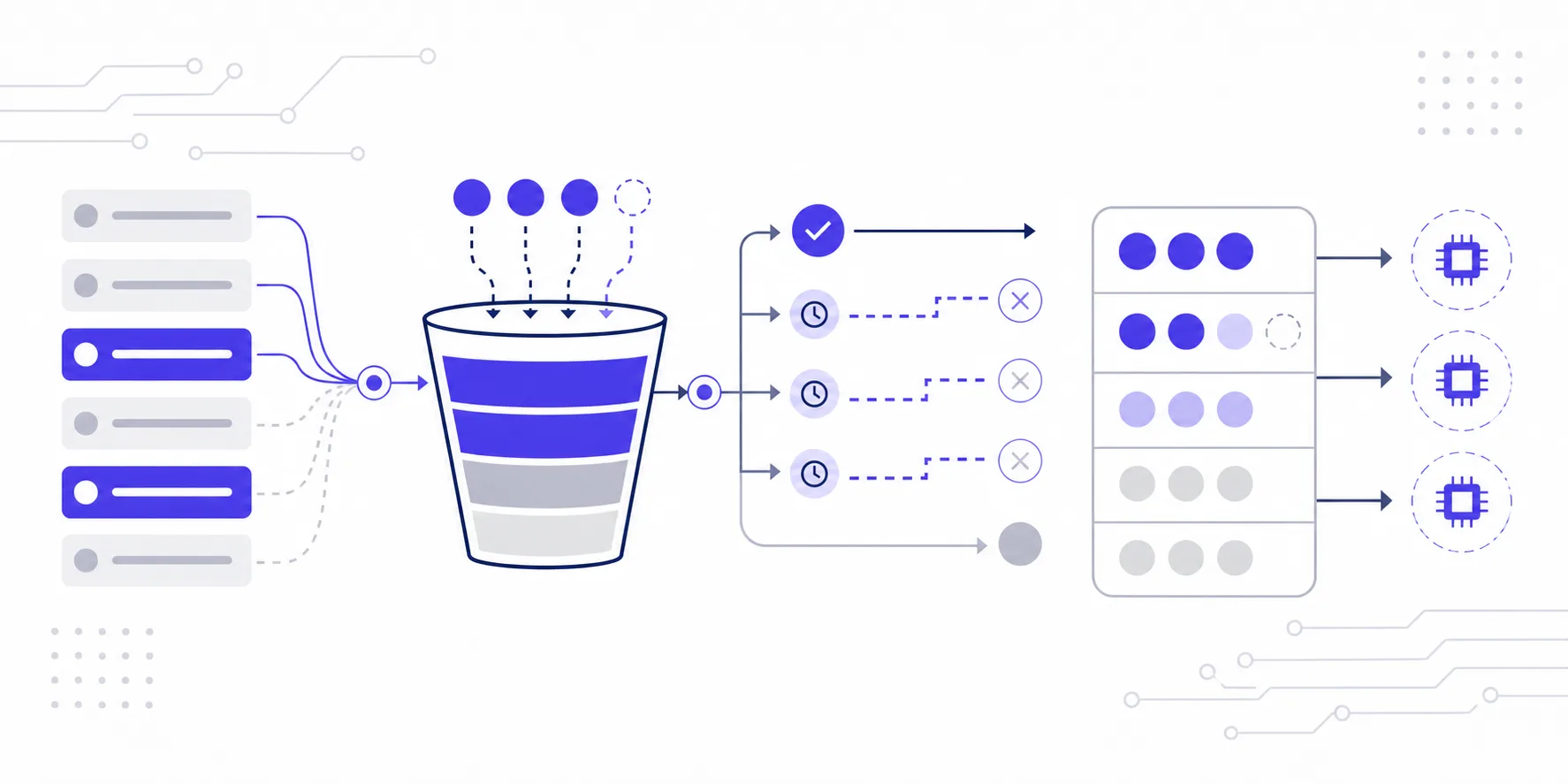
In production, 429s aren't edge cases — they're background noise. Run batch document analysis against Claude Opus, handle high-concurrency conversations with GPT, or kick off a late-night DeepSeek inference job, and rate limits will find you. Handle them well and your system absorbs the pressure. Handle them poorly and a single traffic spike cascades into a full outage.
This article covers three concrete mechanisms — exponential backoff, token bucket, and request queues — with working Python implementations for each.
What a 429 actually tells you
Most AI APIs enforce rate limits on at least three dimensions simultaneously:
| Dimension | Typical range | What it tracks |
|---|---|---|
| RPM (Requests Per Minute) | 60 – 5,000 | Number of API calls |
| TPM (Tokens Per Minute) | 10K – 2M | Token throughput |
| TPD (Tokens Per Day) | 1M – unlimited | Daily token quota |
Both OpenAI and Anthropic include useful metadata in 429 response headers: x-ratelimit-limit-requests, x-ratelimit-remaining-tokens, and retry-after. Reading those headers before deciding your retry delay is table stakes — yet a surprising amount of production code ignores them entirely.
The other thing worth understanding: RPM-triggered 429s and TPM-triggered 429s behave differently. RPM limits reset on a rolling 60-second window, so backing off 5–10 seconds usually works. TPM limits depend on how fast queued tokens drain, and aggressive fast-retrying actually makes congestion worse.
Exponential backoff: the baseline retry layer
The core idea is simple: each retry waits base * 2^attempt + jitter before trying again. The jitter is what prevents the thundering herd problem — without it, every client retries at the same moment and hammers the API in sync.
import time
import random
import httpx

def call_with_backoff(
    request_fn,
    max_retries: int = 6,
    base_delay: float = 1.0,
    max_delay: float = 64.0
):
    for attempt in range(max_retries):
        try:
            return request_fn()
        except httpx.HTTPStatusError as e:
            if e.response.status_code != 429:
                raise  # non-rate-limit errors bubble up immediately

            # prefer the server's own guidance
            retry_after = e.response.headers.get("retry-after")
            if retry_after:
                wait = float(retry_after)
            else:
                wait = min(base_delay * (2 ** attempt), max_delay)
                wait += random.uniform(0, wait * 0.2)  # 20% jitter

            if attempt == max_retries - 1:
                raise

            time.sleep(wait)
Reasonable defaults: start base_delay at 1 second, cap max_delay at 64 seconds, and keep jitter in the 10–20% range. Anthropic's own docs suggest fully randomizing jitter across [0, base_delay] to eliminate periodic retry storms — either approach works, the point is to break synchronization across clients.
One important note for async codebases: never call time.sleep inside an async function. It blocks the entire event loop. Use asyncio.sleep instead:
import asyncio

async def call_with_backoff_async(request_fn, max_retries=6, base_delay=1.0, max_delay=64.0):
    for attempt in range(max_retries):
        try:
            return await request_fn()
        except httpx.HTTPStatusError as e:
            if e.response.status_code != 429:
                raise
            retry_after = e.response.headers.get("retry-after")
            wait = float(retry_after) if retry_after else min(base_delay * (2 ** attempt), max_delay)
            if attempt == max_retries - 1:
                raise
            await asyncio.sleep(wait + random.uniform(0, wait * 0.2))
Token bucket: stop hitting the wall in the first place
Backoff is reactive — you already got rate-limited before it kicks in. The token bucket algorithm is proactive: it throttles your outbound request rate client-side so you never trigger the limit to begin with. They're complementary, not alternatives. Token bucket handles steady-state traffic shaping; backoff handles the unexpected spikes that slip through.
The mechanism: a bucket fills at a fixed rate (say, 50 tokens per second). Each request consumes some number of tokens. When the bucket is empty, the caller waits until enough tokens accumulate.
import asyncio
import time

class TokenBucket:
    def __init__(self, rate: float, capacity: float):
        """
        rate:     tokens added per second (set to RPM/60 or TPM/60)
        capacity: max bucket size (controls burst headroom)
        """
        self.rate = rate
        self.capacity = capacity
        self._tokens = capacity
        self._last_refill = time.monotonic()
        self._lock = asyncio.Lock()

    async def acquire(self, tokens: float = 1.0):
        async with self._lock:
            now = time.monotonic()
            elapsed = now - self._last_refill
            self._tokens = min(self.capacity, self._tokens + elapsed * self.rate)
            self._last_refill = now

            if self._tokens < tokens:
                wait = (tokens - self._tokens) / self.rate
                await asyncio.sleep(wait)
                self._tokens = 0
            else:
                self._tokens -= tokens

# Example: rate-limit by TPM
# 100K TPM limit → ~1,667 tokens/sec
bucket = TokenBucket(rate=1667, capacity=5000)

async def call_api(prompt: str):
    estimated_tokens = len(prompt) / 3.5  # rough estimate
    await bucket.acquire(estimated_tokens)
    # ... make the actual API call
Set capacity to roughly rate * 3 — that gives you 3 seconds of burst headroom without drifting dangerously close to the limit. For token estimation, the rough len(prompt) / 3.5 formula works in a pinch, but tiktoken (for OpenAI-compatible models) or anthropic.count_tokens() will give you exact counts if your workload is token-sensitive.
Request queue: coordinating concurrency across callers
When multiple services share a single API key, a per-caller token bucket isn't enough. You need a centralized queue to coordinate concurrent access.
Concurrency cap with a semaphore. This is the most direct tool for limiting how many in-flight requests you have at once. For free and standard tiers, 5–10 is a safe ceiling. Enterprise tiers can usually handle 50–100.
semaphore = asyncio.Semaphore(10)

async def controlled_request(fn):
    async with semaphore:
        return await fn()
Priority queue for mixed workloads. Interactive requests (a user waiting on a response) should jump ahead of batch jobs. asyncio.PriorityQueue handles this cleanly — lower numbers run first:
from asyncio import PriorityQueue

queue: PriorityQueue = PriorityQueue()

await queue.put((0, realtime_request))   # runs first
await queue.put((10, batch_request))     # runs when the queue has room
Circuit breaker for degraded API states. When you hit five consecutive failures, stop sending requests entirely for 30 seconds. This prevents burning through your retry budget when the API itself is degraded. The tenacity library gives you stop_after_attempt and wait_exponential out of the box — pair those with a custom retry_if_exception to wire up a circuit breaker without much boilerplate.
The full stack
All three layers stack together cleanly:
Incoming request
  → Token bucket (pre-throttle before hitting the limit)
  → Priority queue + Semaphore (cap concurrency, rank by urgency)
  → API call
      → Success: return result
      → 429: exponential backoff, up to 6 retries
      → Repeated failures: circuit breaker opens, pause 30s
A few operational details worth mentioning: log attempt, wait_time, and remaining_tokens (pulled from response headers) on every retry. That data is what lets you tune your rate parameters over time rather than guessing. Also, model selection affects available rate limits — lighter models like GPT-4o mini typically have TPM limits three to five times higher than their heavier counterparts. For batch workloads, routing to a smaller model isn't just a cost decision, it's a throughput decision.
If you're running multiple models in parallel — say, Claude Opus as the primary with Sonnet or DeepSeek as fallbacks — maintaining separate API keys and rate limit configurations for each provider gets tedious fast. I use XycAi to simplify this: one OpenAI-compatible endpoint covers 200+ models, so I manage a single set of rate limit configs regardless of which model I'm calling. GPT and Claude official models are available at around 14% of list price, with compliant global invoicing and CN2 direct connect nodes running at roughly 5ms — and Claude Code, Codex, and Gemini CLI all work with a one-command setup.
One API for 200+ global AI models
GPT · Claude · Gemini official models from 14% of list price. Licensed LLM filing, CN2 direct connect at ~5ms, compliant global invoicing.
Try XycAi →